
Article
Baby Monitor: How to Choose a Safe One
23 Nov 2026
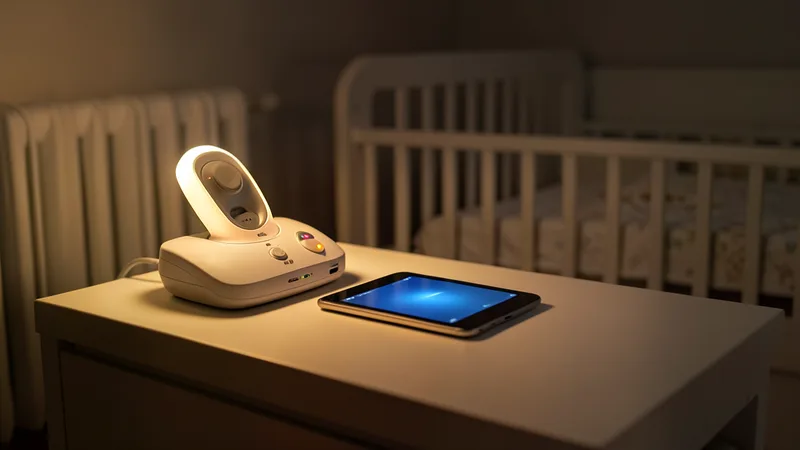
A good baby monitor is the right type for your family's needs — sound only, or video. If you choose a Wi-Fi model, secure its settings to reduce the risk of unauthorized viewing or access to your family's data.
Types of baby monitors, and who each suits
Consumer Reports describes two main types of video baby monitors: ones that send a live video and audio feed over proprietary radio frequencies to a display unit, and ones that use Wi-Fi to stream to your smartphone — plus hybrid monitors that do both. Sound-only (audio) monitors send just the sound.
- Audio monitors — pick up your baby's sounds and alerts. They may suit families who mainly need to listen at home. A model that does not connect to the internet avoids sending data to an online service, but check the device's own privacy and security details.
- Video with a parent unit — you see and hear your baby on the display unit in your hand. No internet involved; suits multi-room homes where you want video without an app.
- Wi-Fi video (via app) — watch from your phone, at home or away, and let other caregivers check in through the same app. Suits families who are often out of the house.
- Hybrid — both parent unit and app.
What to compare before deciding:
- Range and signal quality — does it cover the areas you actually move through, especially in a multi-storey home?
- Night vision — matters if your baby's room is completely dark.
- Two-way talk — soothe your baby from another room.
- Battery and charging — how long a parent unit lasts, and whether the camera is plug-in.
- Room-temperature sensor — if present, use it as a rough room reading; compare it with a separate thermometer if you need a more exact measurement.
- Security — the next section, and the most important item for Wi-Fi models.
A six-point checklist for Wi-Fi monitors
A widely cited security study published by Rapid7 (2015) tested nine internet-connected baby monitors from eight vendors, priced between $55 and $260. It found issues such as hidden, hardcoded credentials and unencrypted video streaming; eight of the nine devices earned the lowest grade (F) and one a D. Consumer Reports reports that most Wi-Fi monitors it has lab-tested receive only middling marks for security and privacy, and that the most common problems are unsecured servers that make customer information easily accessible and devices that do not require complex passwords or multifactor authentication.
When you get a Wi-Fi monitor:
- Change the default password and set a strong, unique one. The FTC says default and reused passwords can be easy to find online. Consumer Reports recommends at least 16 characters mixing letters, numbers and other characters, where the app allows it.
- Turn on multifactor authentication (MFA) if the app offers it. Consumer Reports recommends this for important connected accounts. MFA can help prevent someone who has your password from accessing the account, and may alert you to a sign-in from a new device.
- Keep the firmware and the app up to date. Consumer Reports reported in May 2026 that up to 1.1 million Meari Wi-Fi monitors and security cameras may be vulnerable to a security breach that could expose video feeds, stored photos, email addresses and location data. Meari said its biggest security issue had been addressed in firmware 3.0.0 and higher, but CR noted that not every device may be updateable. Check the model's Settings or About menu and contact the manufacturer if you cannot update it. The FTC recommends keeping the camera software and viewing app up to date.
- Put the monitor on a separate Wi-Fi network. Consumer Reports recommends a separate network, such as a guest network. This can help reduce the chance that a compromised camera is used to reach other devices on your regular network.
- Turn off remote access when you do not use it. If you do not need to watch from away from home, disable remote viewing if the camera offers that setting. The FTC recommends considering this option and securing accounts with remote access to the feed. Rapid7's 2015 study found exposed device-level services, including SSH or Telnet, on some tested monitors; those were findings about the tested models, not a setting every camera offers.
- Read the privacy policy. Where is recorded video stored, and who can see it? How is your data used?
A possible warning sign
Watch for:
- a sign-in alert from a new device that you did not authorize, if your app offers this alert
If anything looks wrong:
- disconnect the camera from Wi-Fi immediately
- change your app account password and your home Wi-Fi password
- update the firmware to the latest version
- contact the manufacturer
A baby monitor is not a safe-sleep substitute
A monitor lets you watch and listen from another room; it does not replace putting your baby down to sleep the right way. The American Academy of Pediatrics (AAP) recommends
- always placing your baby on their back to sleep, for naps and at night, and
- using a firm, non-inclined sleep surface — a crib, bassinet, portable crib or play yard that meets current standards.
FAQ
How will I know if my Wi-Fi monitor has been hacked? If your app reports a sign-in from a new device you did not authorize, review account access. An alert is a reason to check, but does not by itself prove the camera was hacked. If concerned, disconnect it from Wi-Fi, change the account password and follow the manufacturer’s recovery and update instructions.
Do I really need a Wi-Fi model? If your family mainly needs monitoring at home, a sound-only monitor or a video model with a local parent unit may meet that need. A model without internet access avoids remote or cloud access, but still has device-specific privacy and security considerations. If you often need to check in while away, a Wi-Fi monitor may be useful; follow the checklist above.
Can I reuse or hand down a monitor? Yes — before reusing, reselling or passing it on, log out of the account, disable remote access and factory-reset the device.
Should I register my product? If the manufacturer offers registration, it may help with warranty service or safety notices; check the manufacturer's terms and privacy policy. Read more in the article on product registration.
Baby gear is available at The Little Store, and you can reach BC Link through the contact page.
References
- Consumer Reports — Report Sparks Security Concerns About Meari Technology Baby Monitors (May 2026) — consumerreports.org
- Rapid7 — Internet-Connected Baby Monitor Security Research: Frequently Asked Questions — rapid7.com
- Consumer Reports — Best Baby Monitor Buying Guide — consumerreports.org
- American Academy of Pediatrics (HealthyChildren.org) — Safe Sleep: 9 Ways to Reduce a Baby's Risk of SIDS & Suffocation — healthychildren.org
- Federal Trade Commission (FTC) — How To Secure Your Home Security Cameras — consumer.ftc.gov